 Webcam Teleprompter
Read your script while looking at the camera.
Webcam Teleprompter docks a slim reading band right under your webcam, above every app, and keeps it out of screen shares and recordings. Your eyes stay on the lens; your audience never sees the script.
Get it on the Microsoft Store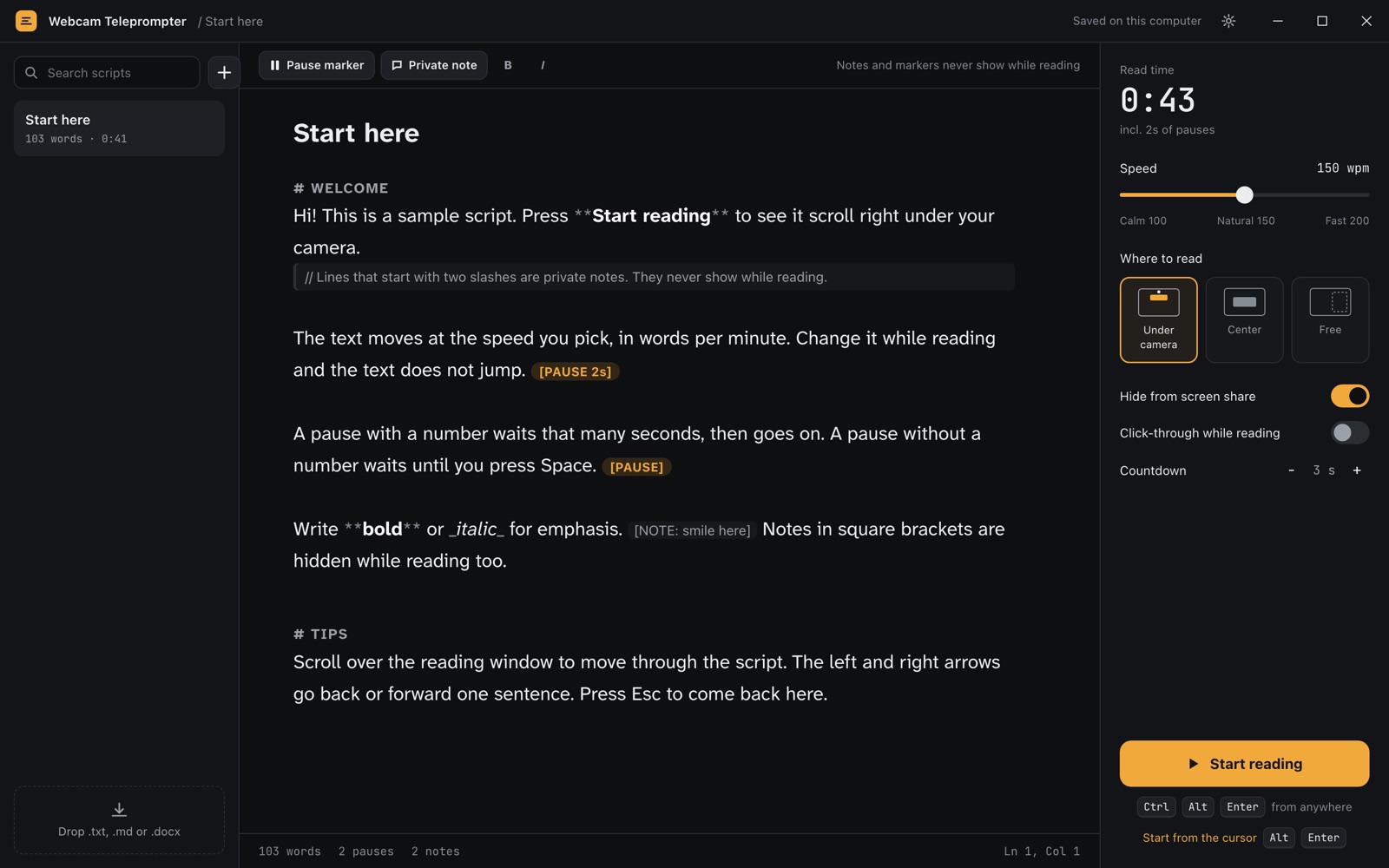
Made for calls, recordings and streams
Everything a presenter needs, nothing a viewer can see.
Docked under the camera
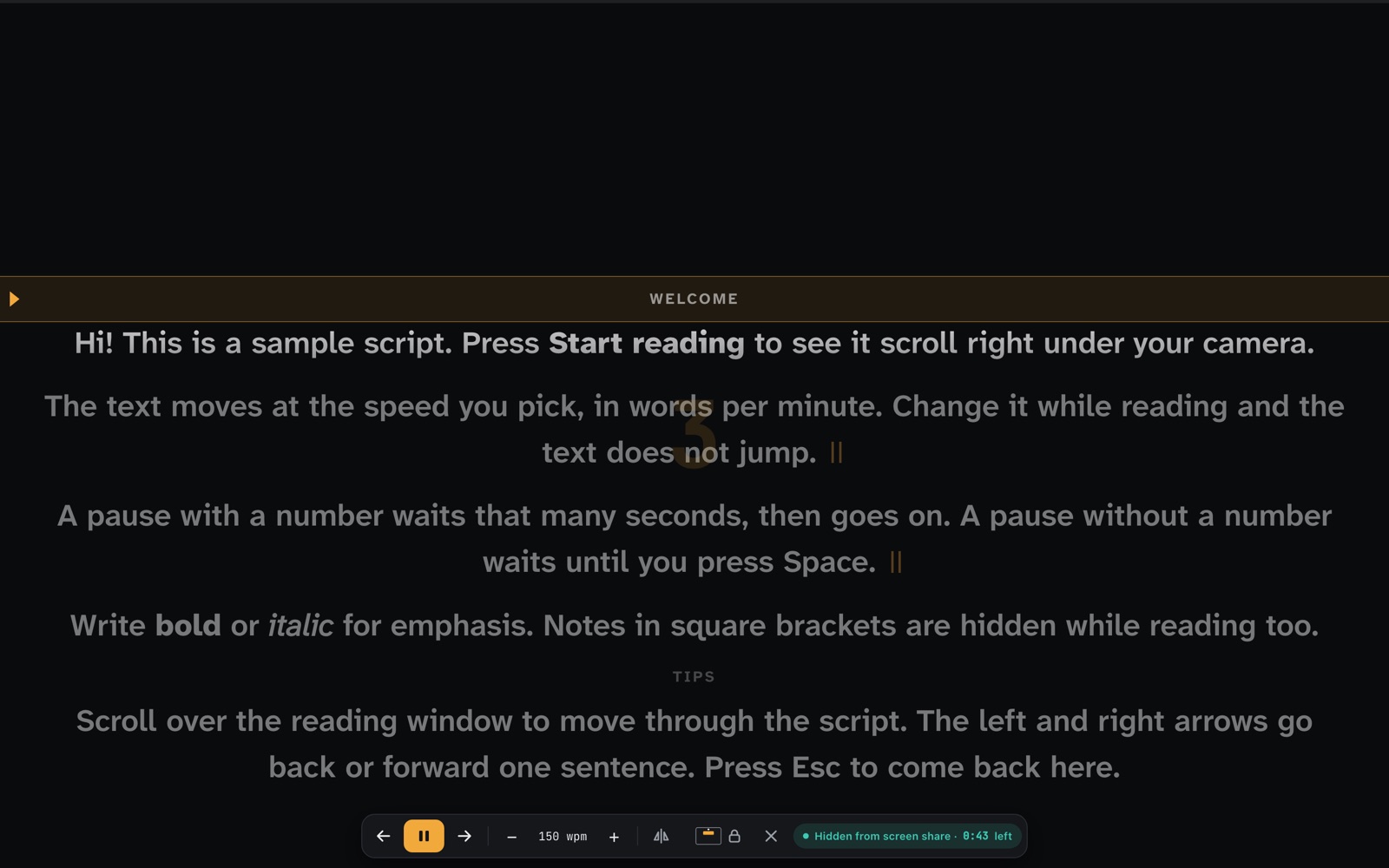
The reading band sits right below your webcam, so your gaze looks natural. Or center it, or put it anywhere.
Hidden from screen share
Teams, Zoom, Meet and OBS capture your screen without the prompter window.
Steady speed in words per minute
Change speed while reading without the text jumping. Pause markers wait a few seconds or until you press Space.
Private notes
Lines starting with // and [notes] are for you only and never show while reading.
Hands-free
Global shortcuts and PageUp/PageDown for presentation remotes; click-through lock so the band never steals a click.
Your scripts, your computer
Write here or import .txt, .md and .docx. Nothing is sent anywhere.
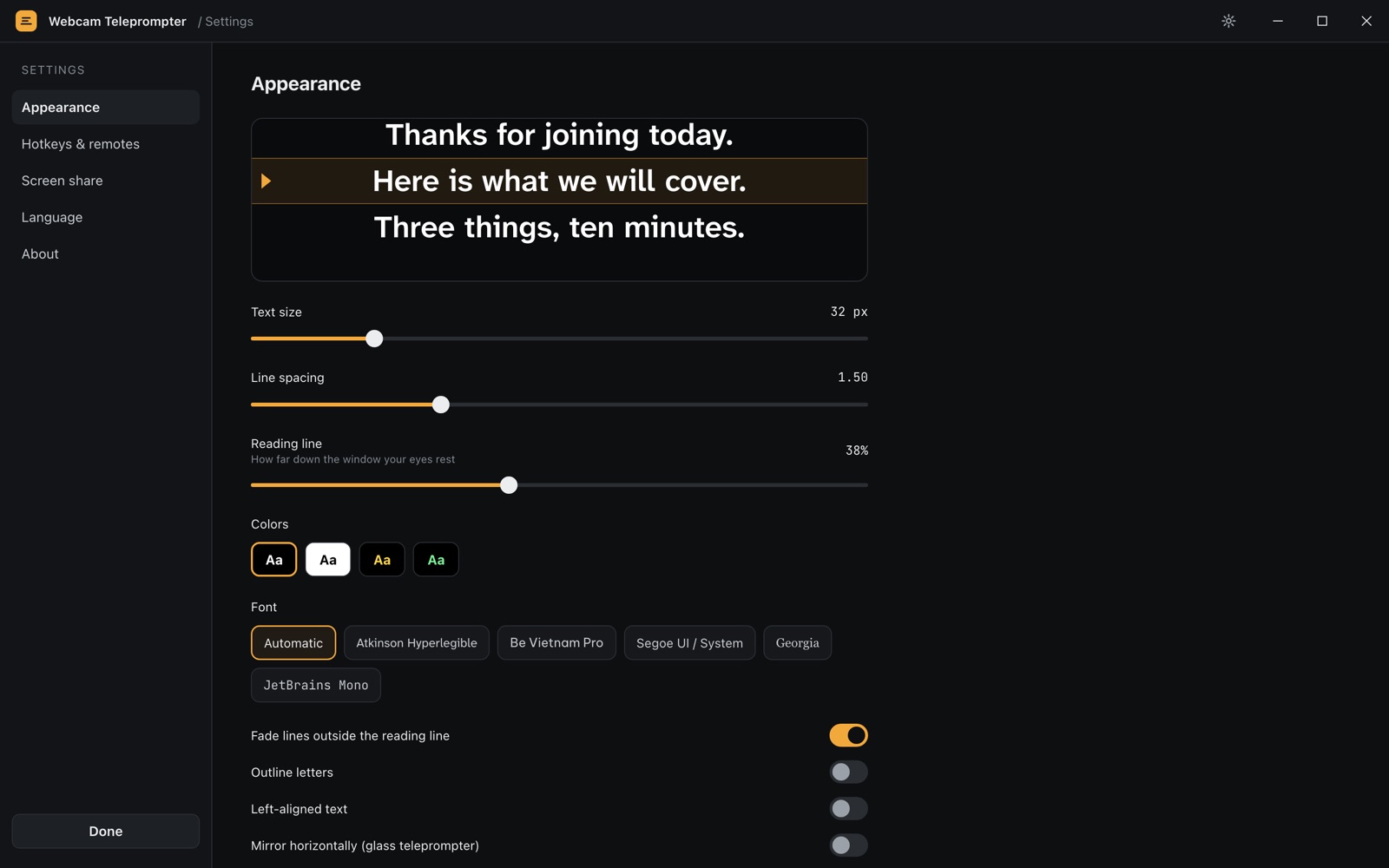
Looks right on every screen
Readable fonts with Vietnamese support, light or dark reading band, outline for bright backgrounds, sizes that scale with your display.
One price, everything included
| Webcam Teleprompter | ||
|---|---|---|
| Price | $4.99 once | |
| Scripts | Unlimited | |
| Hidden from screen share, docking, shortcuts | Included |
On the Microsoft Store for Windows 10 and 11.